Yuyu Billing in OpenStack Horizon
Yuyu is an OpenStack billing plugin that collects usage data from OpenStack events. It lets administrators define prices for flavors, images, networking resources, and volumes.
Key benefits include:
- Accurate reporting: Usage costs are calculated automatically, reducing the need for manual billing calculations.
- Real-time management: Review and manage usage without waiting for a fixed reporting window.
- Better cost control: Precise usage data makes it easier to identify savings opportunities.
-
Install the required dependencies, then clone the Horizon source repository.
bashroot@controller:~# apt update root@controller:~# apt install python3 python3-dev python3-venv python3-distutils apache2 libapache2-mod-wsgi-py3 memcached libmemcached-tools python3-setuptools python3-virtualenv -y root@controller:~# cd /var/www/html root@controller:~/html# git clone https://opendev.org/openstack/horizon -b stable/2023.1 --depth=1 root@controller:~/html# cd horizon -
Install the Horizon dependencies. Keep the pinned version of
python-memcachedin the requirements file; changing it can cause logout failures.bashroot@controller:~/horizon# pip install -U pip root@controller:~/horizon# wget https://opendev.org/openstack/requirements/raw/branch/stable/2023.1/upper-constraints.txt root@controller:~/horizon# sed -i 's/horizon===23.1.1/horizon===0.0.0/g' upper-constraints.txt root@controller:~/horizon# pip install -c upper-constraints.txt . root@controller:~/horizon# pip install -r requirements.txt root@controller:~/horizon# pip install python-cinderclient -
Copy the sample
local_settings.pyfile and configure it as shown below.bashroot@controller:~/horizon# cp openstack_dashboard/local/local_settings.py.example \ openstack_dashboard/local/local_settings.py root@controller:~/horizon# nano openstack_dashboard/local/local_settings.pypython# Set the debug value. DEBUG = False # Set allowed hosts. ALLOWED_HOSTS = ['*'] # Configure the cache backend. CACHES = { 'default': { 'BACKEND': 'django.core.cache.backends.memcached.MemcachedCache', 'LOCATION': '{IP-OPENSTACK}:11211', # replace {IP-OPENSTACK} with the VM IP address }, } # Configure the OpenStack host and Keystone. OPENSTACK_HOST = "{IP-VIP-OPENSTACK}:5000" # replace {IP-VIP-OPENSTACK} with the Keystone API endpoint OPENSTACK_KEYSTONE_URL = "http://%s/v3" % OPENSTACK_HOST # Configure themes. AVAILABLE_THEMES = [ ('default', 'Default', 'themes/default'), ('material', 'Material', 'themes/material'), ('example', 'Example', 'themes/example'), ] -
Create a Python 3.10 symlink so Horizon uses the expected interpreter.
bashroot@controller:~/horizon# ln -s /usr/bin/python3.10 /usr/bin/python -
Generate the static CSS, JavaScript, image, and font assets.
bashroot@controller:~/horizon# ./manage.py collectstatic -
Generate the WSGI file.
bashroot@controller:~/horizon# ./manage.py make_web_conf --wsgi -
Generate the Apache configuration for the Horizon web service.
bashroot@controller:~/horizon# ./manage.py make_web_conf --apache > /etc/apache2/sites-available/horizon.conf -
Enable the Horizon site and disable Apache's default site.
bashroot@controller:~/horizon# a2ensite horizon.conf && a2dissite 000-default.conf -
Set the required permissions for the static directory and WSGI file.
<br>bashroot@controller:~/horizon# chown -R www-data:www-data openstack_dashboard/local/.secret_key_store root@controller:~/horizon# chown -R www-data:www-data static/ root@controller:~/horizon# chmod a+x openstack_dashboard/horizon_wsgi.py
-
Update the following OpenStack service configuration files so they publish events to RabbitMQ for Yuyu to consume:
-
Nova:
/etc/kolla/nova-scheduler/nova.conf.bashroot@controller:~# nano /etc/kolla/nova-scheduler/nova.confyaml[oslo_messaging_notifications] driver = messagingv2 topics = notifications [notifications] notify_on_state_change = vm_and_task_state notification_format = unversioned -
Cinder:
/etc/kolla/cinder-scheduler/cinder.conf.bashroot@controller:~# nano /etc/kolla/cinder-scheduler/cinder.confyaml[oslo_messaging_notifications] driver = messagingv2 topics = notifications -
Neutron:
/etc/kolla/neutron-server/neutron.conf.bashroot@controller:~# nano /etc/kolla/neutron-server/neutron.confyaml[oslo_messaging_notifications] driver = messagingv2 topics = notifications -
Keystone:
/etc/kolla/keystone/keystone.conf.bashroot@controller:~# nano /etc/kolla/keystone/keystone.confyaml[oslo_messaging_notifications] driver = messagingv2 topics = notifications
-
-
Restart the configured service containers.
bashroot@controller:~# docker restart nova_scheduler cinder_scheduler neutron_server keystone -
Clone the Yuyu API and event-monitor repositories.
bashroot@controller:~# cd /var root@controller:~/var# git clone https://github.com/btechpt/yuyu.git root@controller:~/yuyu# cd yuyu -
Create a Python virtual environment, activate it, and install the required libraries.
bashroot@controller:~/yuyu# virtualenv env root@controller:~/yuyu# source env/bin/activate (env) root@controller:~/yuyu# pip install -r requirements.txt -
Retrieve the RabbitMQ URL from the Neutron configuration. You will use it in Yuyu's
local_settings.py.bash(env) root@controller:~/yuyu# cat /etc/kolla/neutron-server/neutron.conf | grep transport_url -
Copy
yuyu/local_settings.py.sampletoyuyu/local_settings.pyand configure it.bash(env) root@controller:~/yuyu# cp yuyu/local_settings.py.sample yuyu/local_settings.py (env) root@controller:~/yuyu# vim yuyu/local_settings.pypythonYUYU_NOTIFICATION_URL = "rabbit://openstack:password@127.0.0.1:5672//" YUYU_NOTIFICATION_TOPICS = ["notifications"] -
Run the database migrations.
bash(env) root@controller:~/yuyu# python manage.py migrate -
Set up and start the Yuyu API and event-monitor services.
bash(env) root@controller:~/yuyu# ./bin/setup_api.sh (env) root@controller:~/yuyu# systemctl enable yuyu_api (env) root@controller:~/yuyu# systemctl start yuyu_api (env) root@controller:~/yuyu# systemctl status yuyu_apibash(env) root@controller:~/yuyu# ./bin/setup_event_monitor.sh (env) root@controller:~/yuyu# systemctl enable yuyu_event_monitor (env) root@controller:~/yuyu# systemctl start yuyu_event_monitor (env) root@controller:~/yuyu# systemctl status yuyu_event_monitor -
Create a cron entry to run the processing script on a schedule.
bash(env) root@controller:~/yuyu# crontab -e no crontab for root - using an empty one Select an editor. To change later, run 'select-editor'. 1. /bin/nano <---- easiest 2. /usr/bin/vim.basic 3. /usr/bin/vim.tiny 4. /bin/ed Choose 1-4 [1]: [choose an editor] -
Add the following line to the generated crontab file, then save it.
bash1 0 1 * * /var/yuyu/bin/process_invoice.sh -
Deactivate the Python virtual environment.
<br>bash(env) root@controller:~/yuyu# deactivate
-
Clone the Yuyu Dashboard repository.
bashroot@controller:~# cd /var root@controller:~/var# git clone https://github.com/btechpt/yuyu_dashboard.git root@controller:~/yuyu_dashboard# cd yuyu_dashboard -
Run the Yuyu Dashboard setup. When prompted for the Horizon directory, use the correct path, such as
/var/www/html/horizon.bashroot@controller:~/yuyu_dashboard# ./setup_yuyu.sh Enter horizon location and press ENTER. /var/www/html/horizon -
Install the Python libraries required by the Yuyu Dashboard.
bashroot@controller:~/yuyu_dashboard# pip3 install -r requirements.txt -
Add the Yuyu settings to Horizon's
local_settings.py. Bind the dashboard to localhost because both services run on the same host.bashroot@controller:~/yuyu_dashboard# vim /var/www/html/horizon/openstack_dashboard/local/local_settings.pypythonYUYU_URL="http://127.0.0.1:8182" CURRENCIES = ('IDR',) DEFAULT_CURRENCY = "IDR" -
Restart Apache and Memcached.
bashroot@controller:~/yuyu_dashboard# systemctl restart apache2 root@controller:~/yuyu_dashboard# systemctl restart memcached
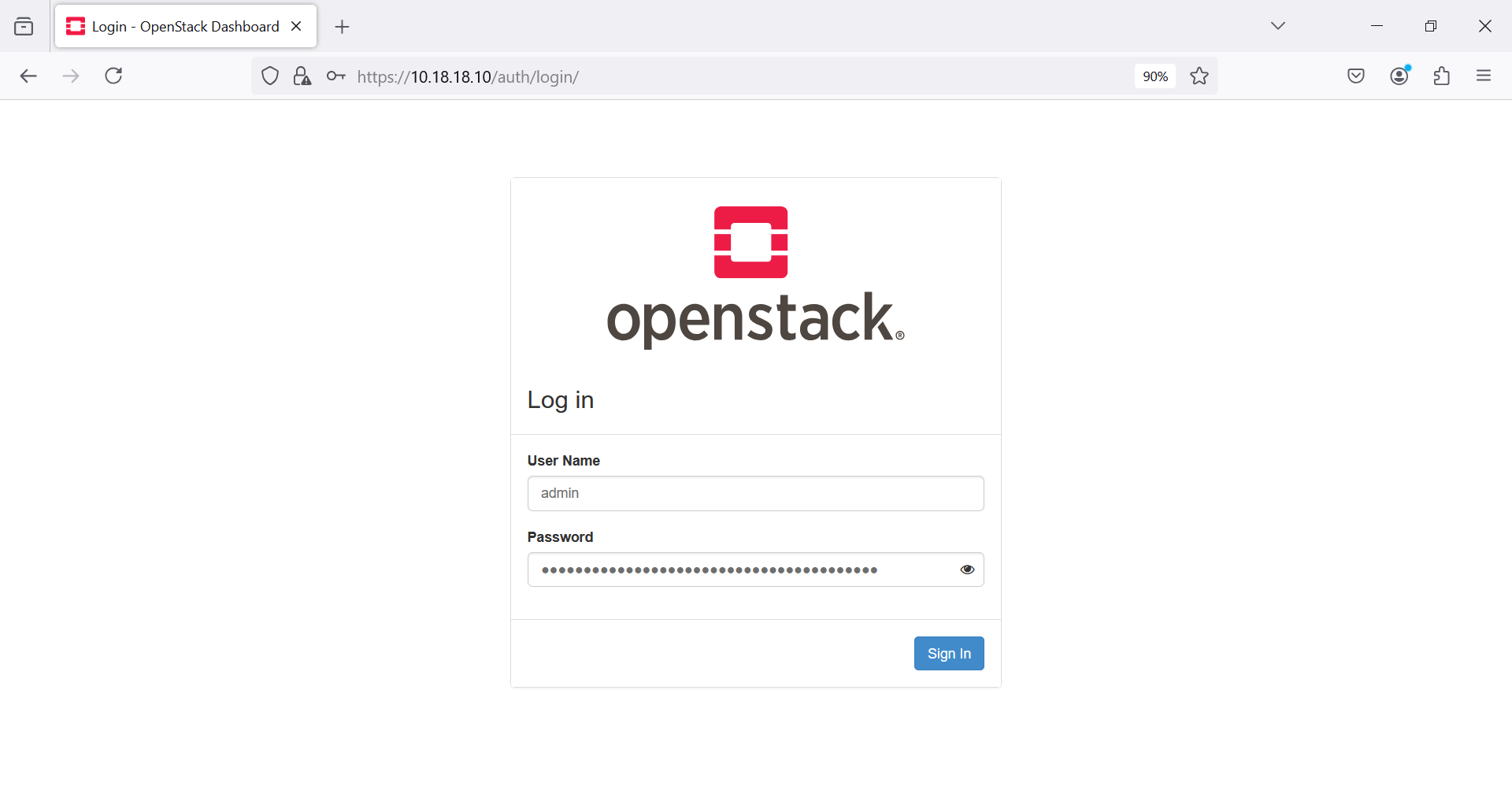
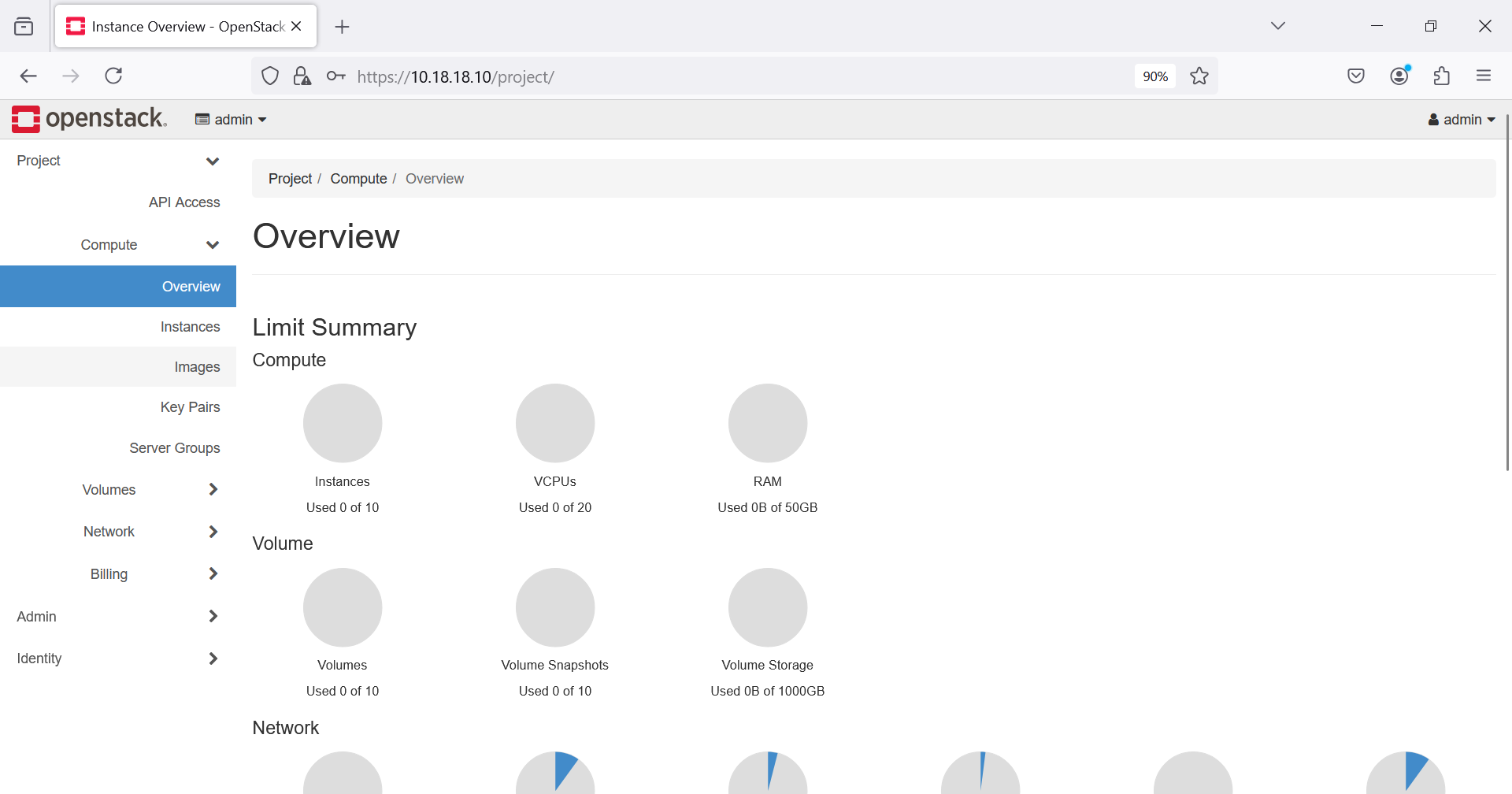
Sign in to the dashboard with the appropriate credentials.
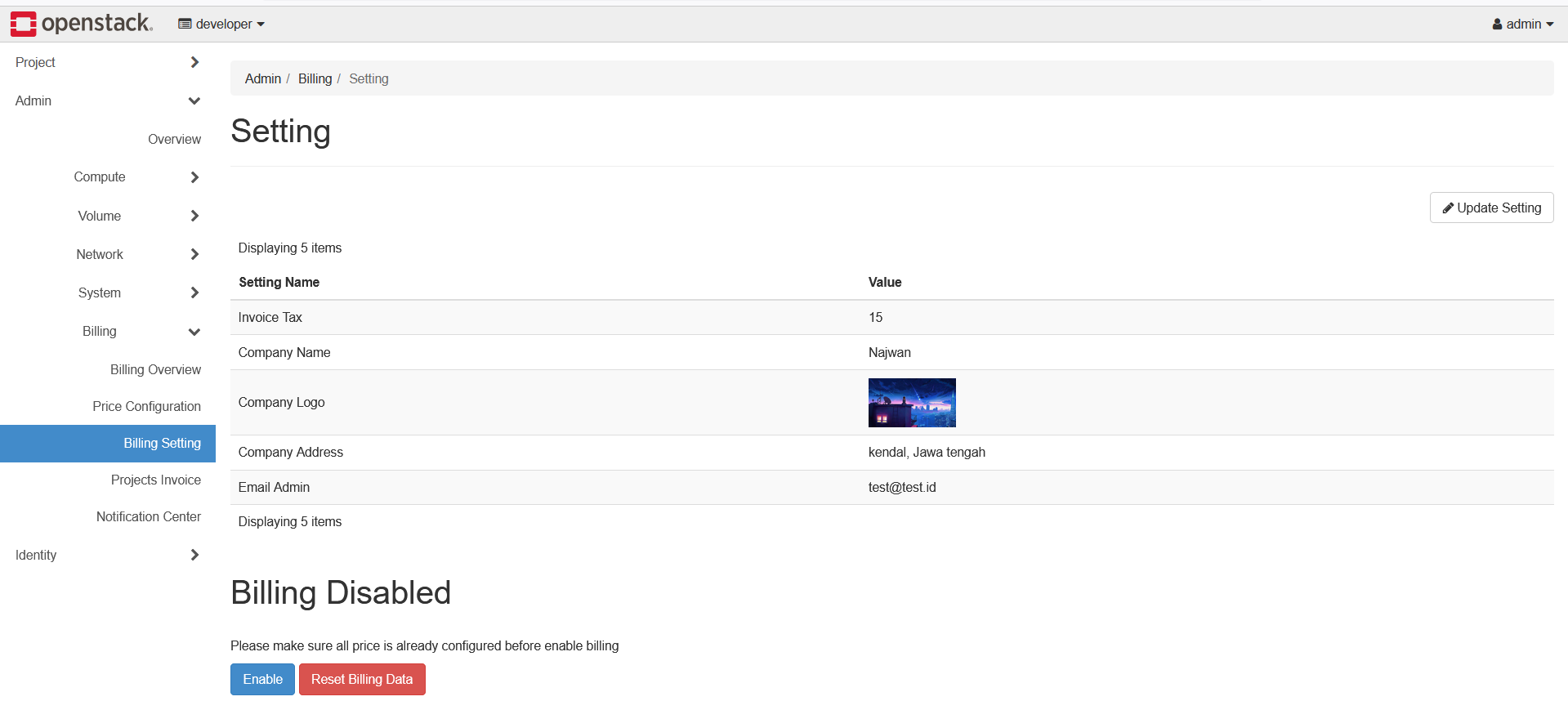
Administrators can manage billing settings.
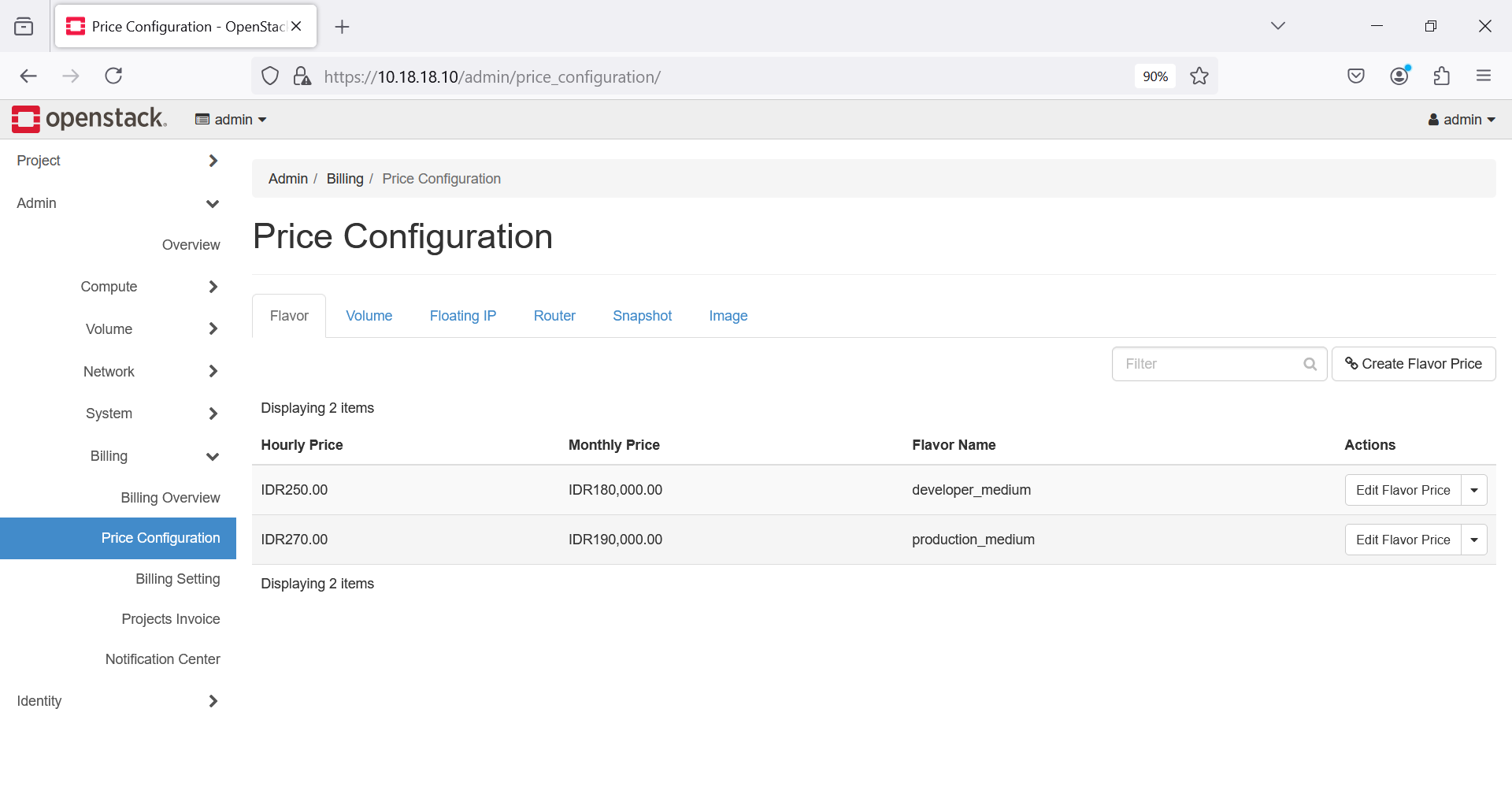
Resource prices can be configured for the selected currency.
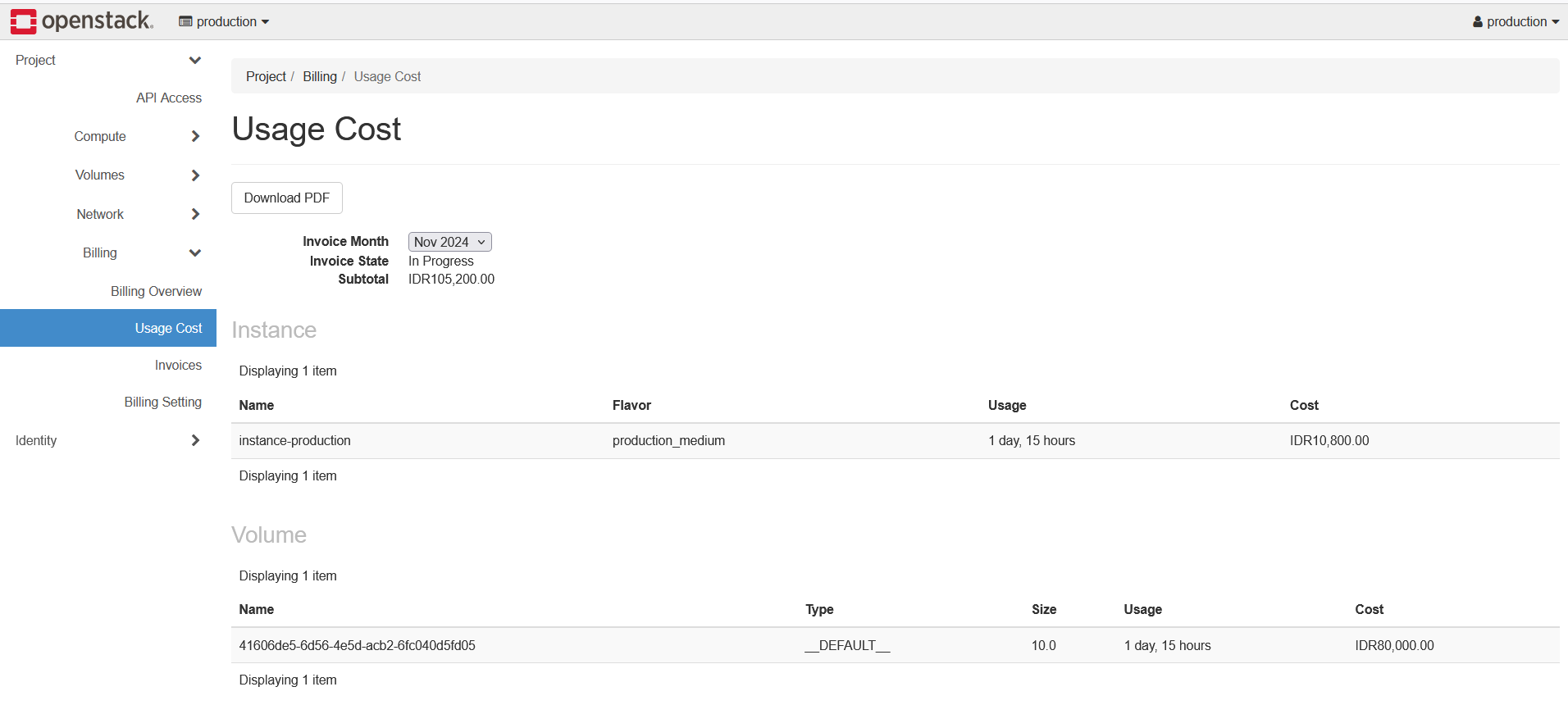
Usage costs can be reviewed for a specific project.
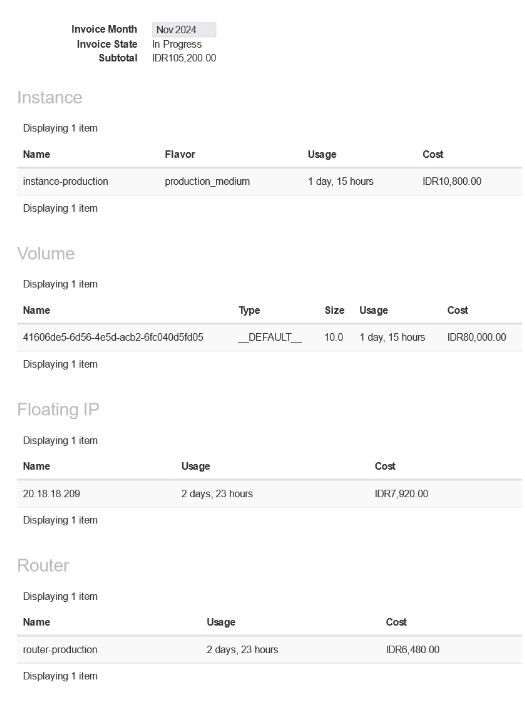
Usage-cost data can also be downloaded as a file.
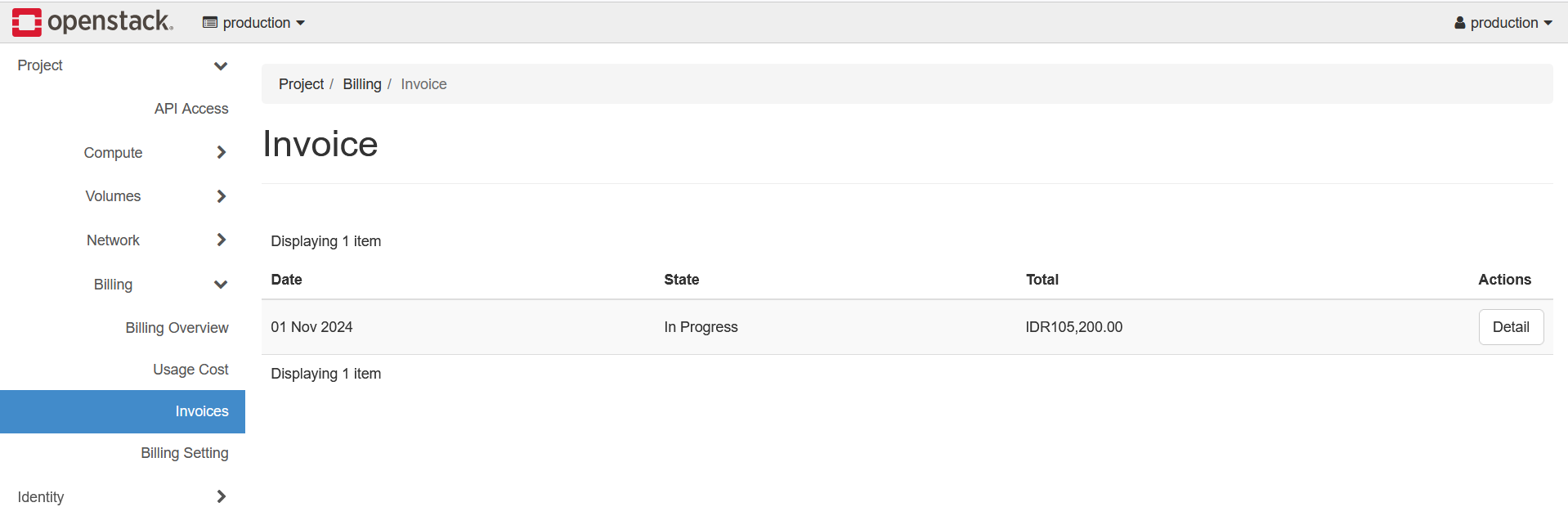
Invoices are available through the Horizon page.
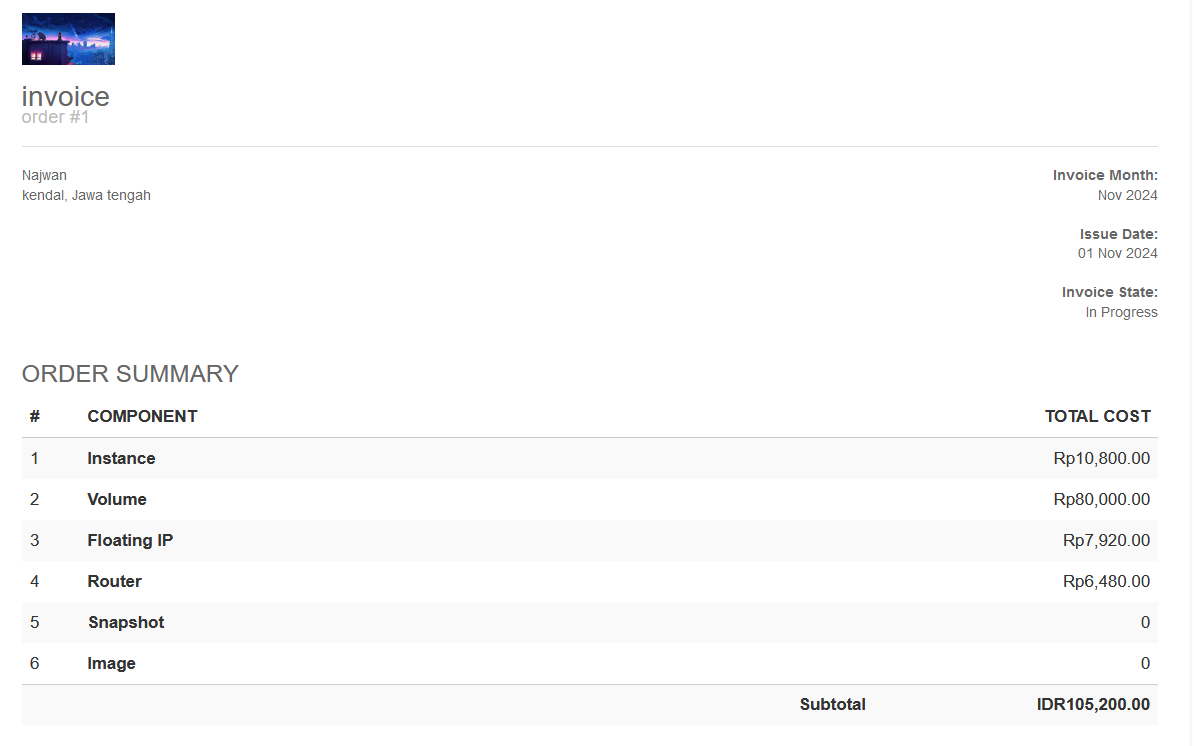
Invoices can also be downloaded as files.