Serverless Asynchronous Architecture with ALB, Lambda, SQS, and DynamoDB
How do you handle thousands of requests per second without overwhelming a server or causing a database timeout? A decoupled architecture separates the request path from the database-processing path so each part can scale independently.
This lab combines ALB (Application Load Balancer), Lambda, SQS (Simple Queue Service), and DynamoDB to build a scalable and reliable workflow. When traffic spikes, SQS absorbs the work before it reaches the database.
Let's break down the architecture.
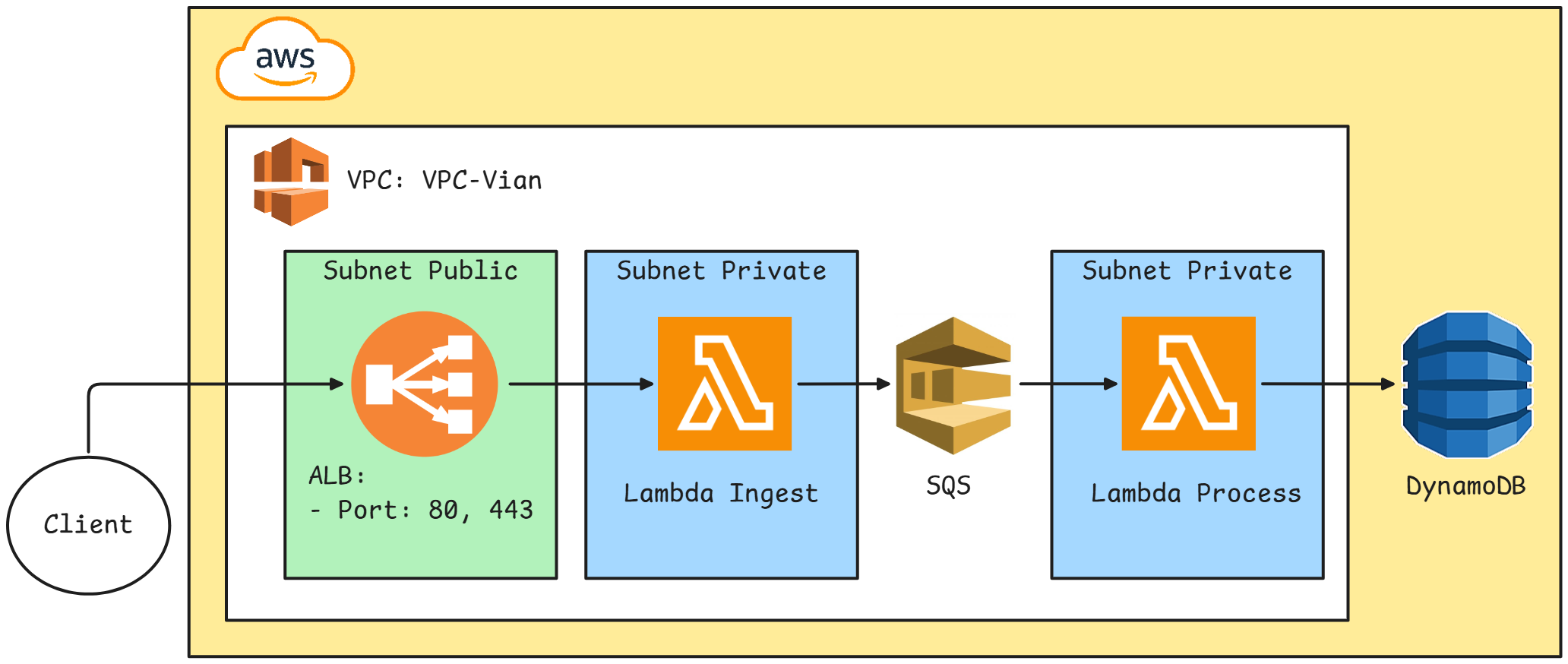
The idea is simple: users should not have to wait for a database write to finish before receiving a response. Instead, the request is handled asynchronously.
The data flow is:
- The user sends an HTTP request, such as an order request, to the ALB.
- The ALB forwards the request to Lambda Ingest.
- Lambda Ingest does not write directly to the database. It places the message in SQS and immediately returns an acknowledgment to the user.
- SQS stores the messages in a queue.
- Lambda Process, triggered by SQS, consumes the messages and writes the data to DynamoDB.
The frontend remains responsive while the backend processes the queued work in an orderly way.
- An existing VPC with:
- Four subnets: two public and two private
- An internet gateway
- A route table for the public subnets and a route table for each private subnet
- A security group with inbound rules for:
- HTTP: 80
- HTTPS: 443
DynamoDB is used as the final data store because it is serverless and scales without managing database servers.
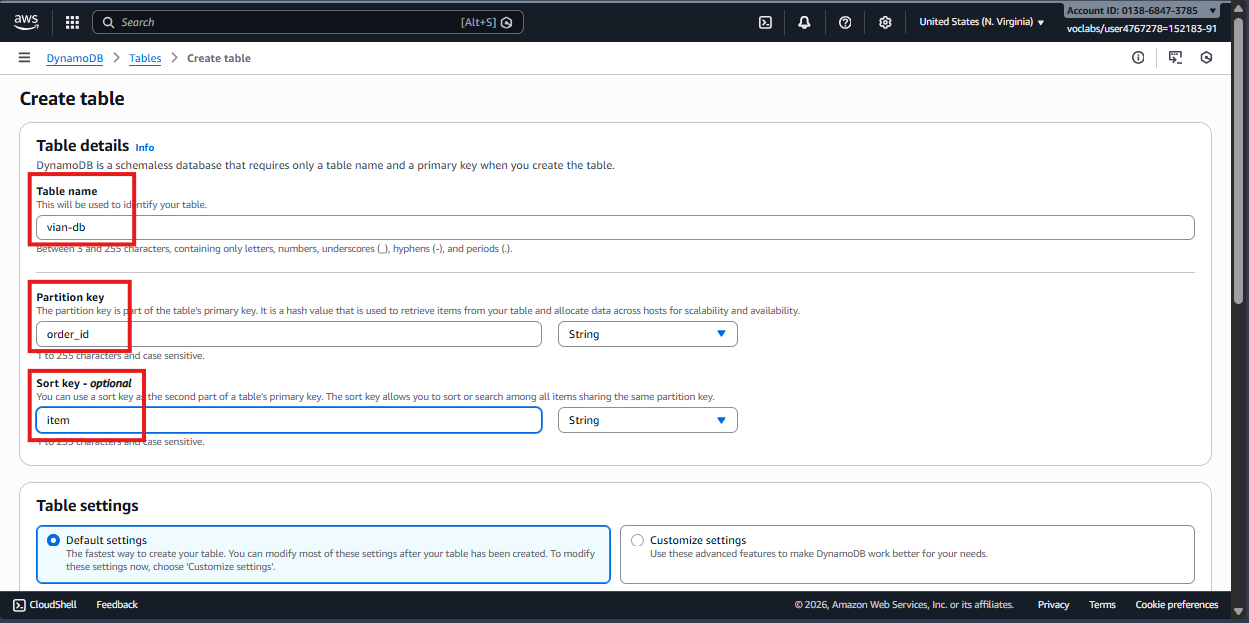
- Open the DynamoDB console and select Create table.
- Enter the table name and partition key. This example uses:
- Partition key:
order_id - Sort key:
item
- Partition key:
SQS buffers incoming work so traffic spikes do not immediately overload the database.
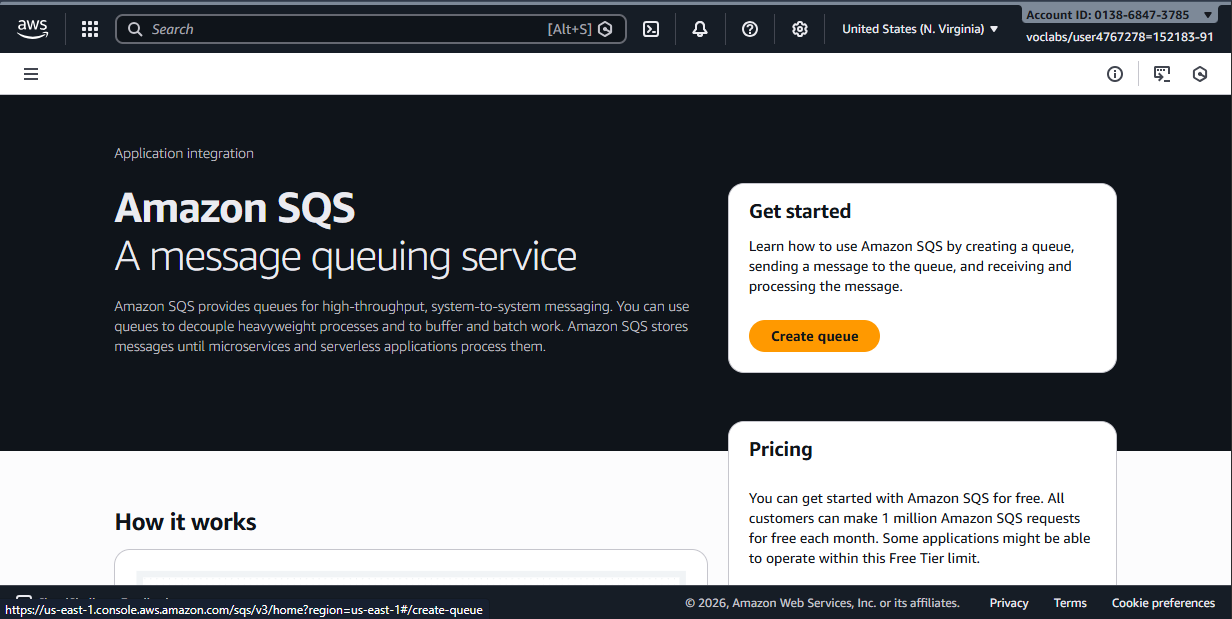
- Open SQS and select Create queue.
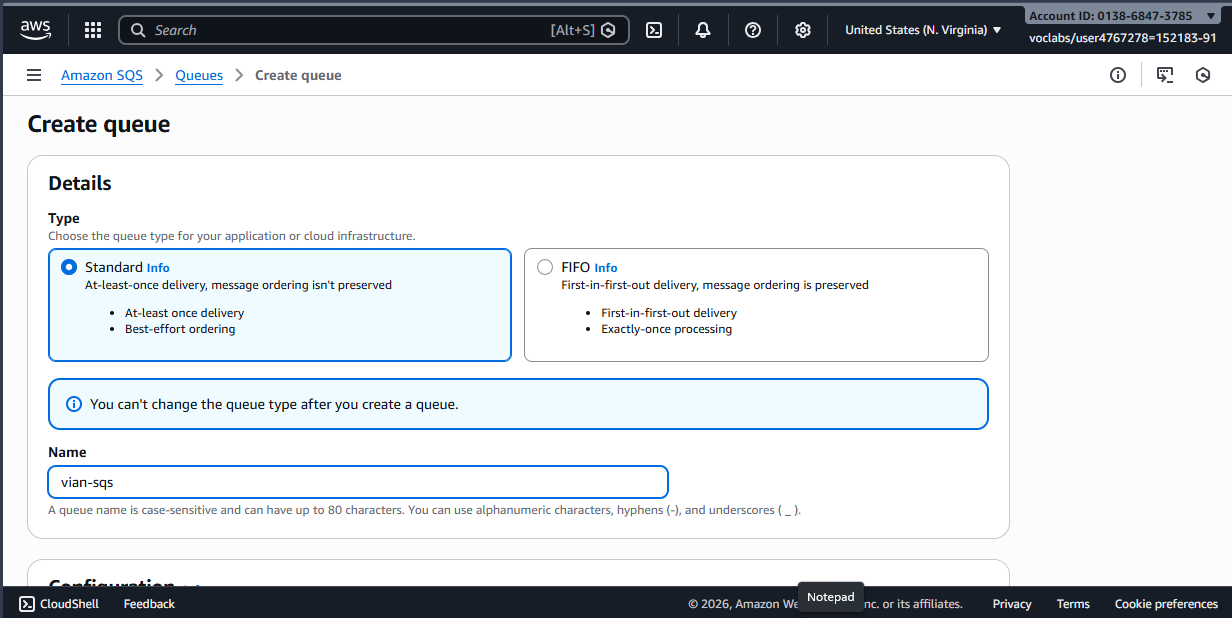
- Choose the Standard queue type for higher throughput. Enter a name such as
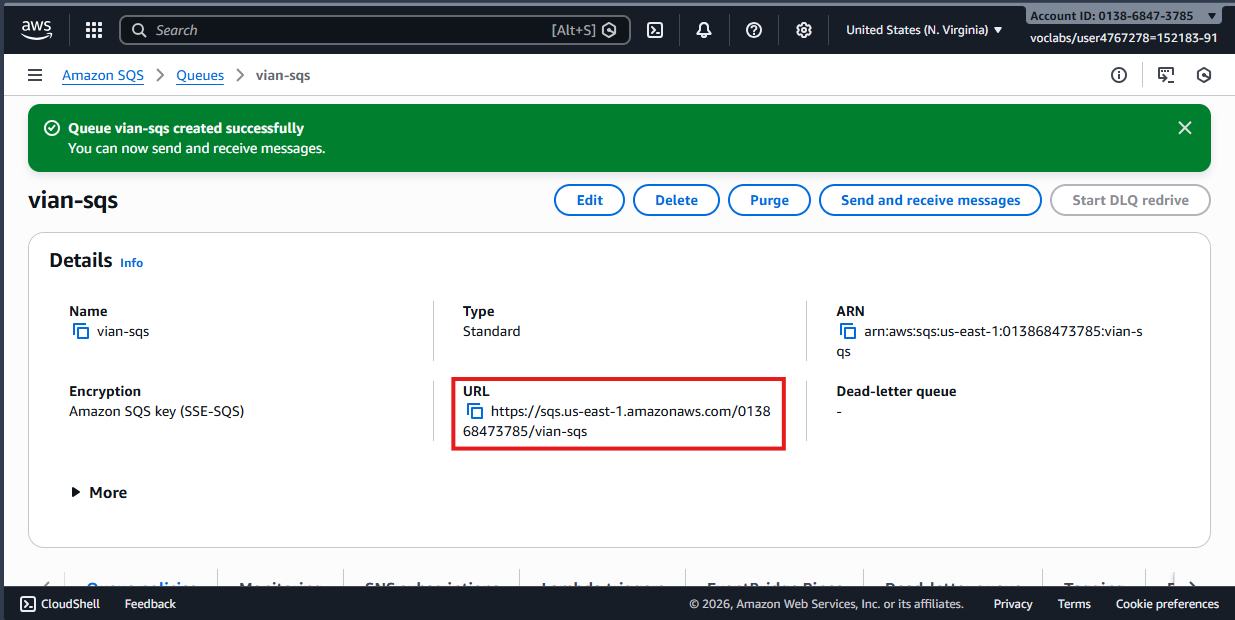
vian-sqs, then select Create.
- Copy the SQS URL; Lambda Ingest will use it when sending messages.
IngestFunction receives data from the ALB and places it in SQS.
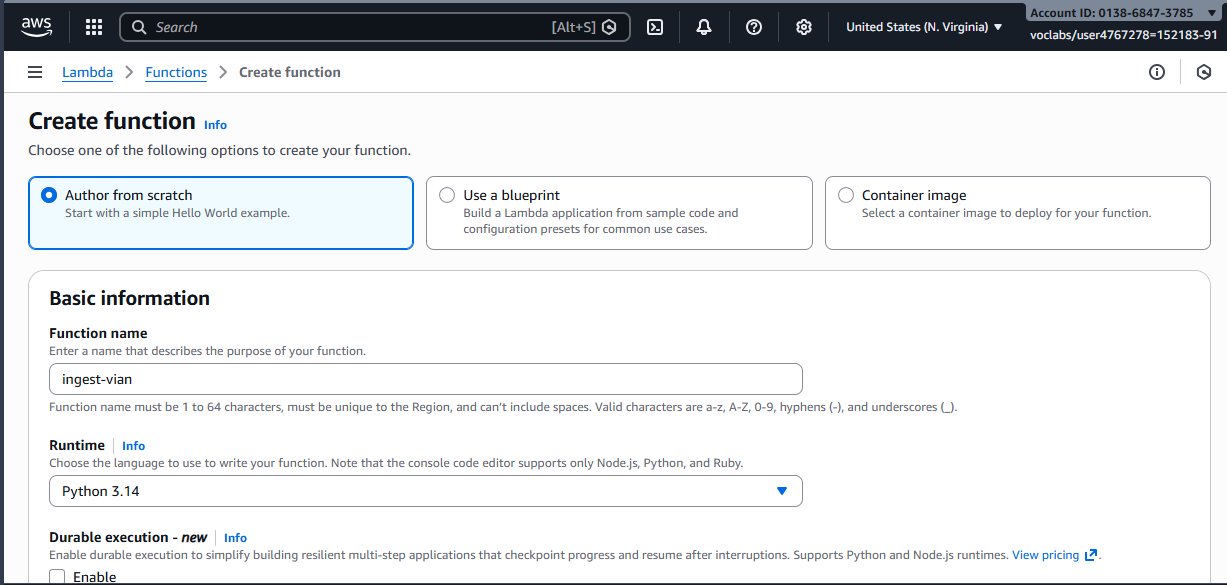
- Create a new function, for example
Ingest-vian. - Select the Python runtime.
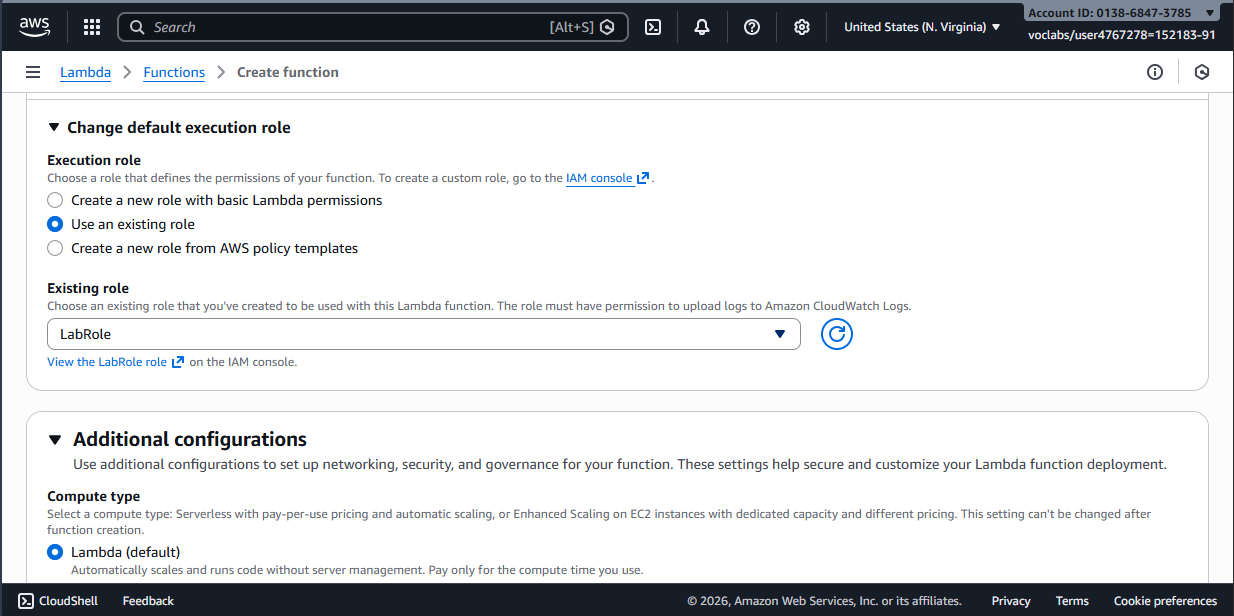
- Ensure the IAM role has
sqs:SendMessagepermission for the SQS queue. In this example, the AWS AcademyLabRoleis used.
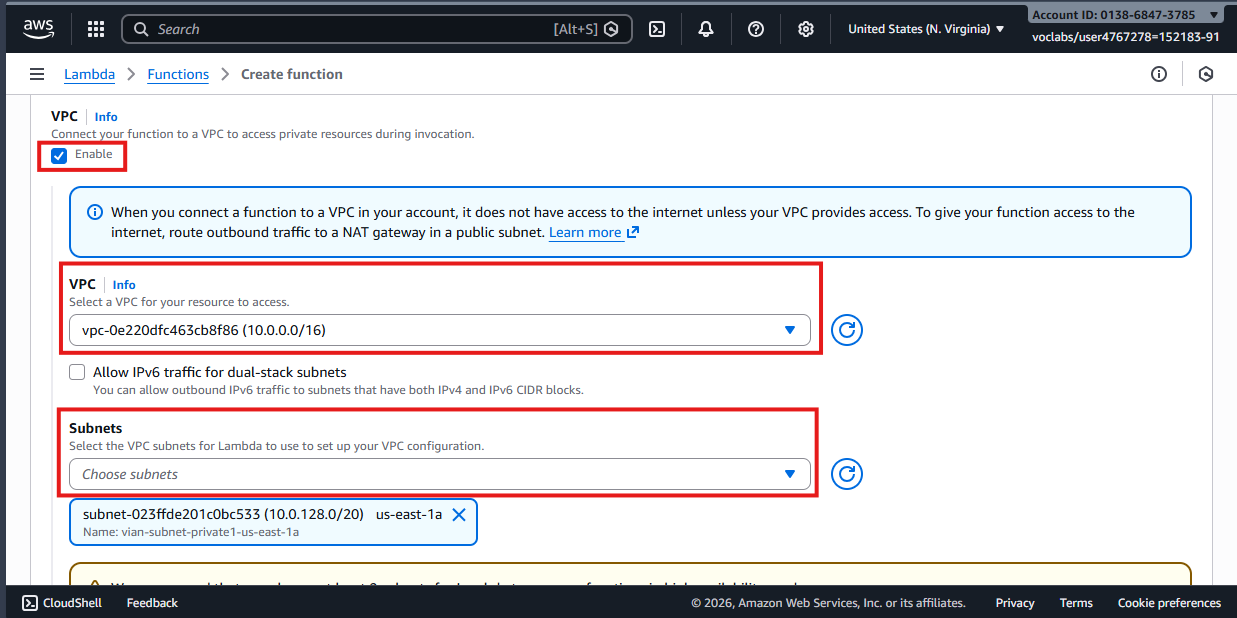
- Enable the VPC configuration for Lambda Ingest and select the private subnets that match the topology.
- Select the security group with inbound ports 80 and 443.
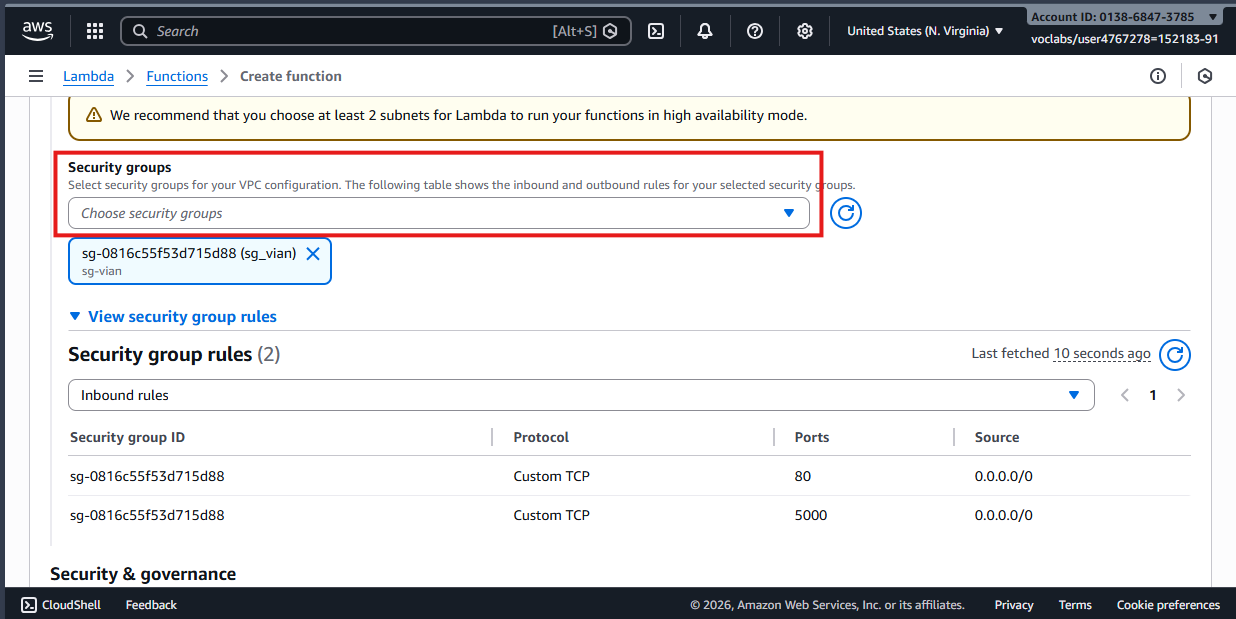
- Use the following handler. It reads an ALB event and sends the request body to SQS.
import json
import boto3
import os

# Initialize the client outside the handler for faster reuse.
sqs = boto3.client('sqs')
QUEUE_URL = "{PASTE-URL-SQS}"

def lambda_handler(event, context):
    print("ALB EVENT:", json.dumps(event))

    path = event.get('path', '/')
    method = event.get('httpMethod', 'UNKNOWN')

    # Match the path configured in the trigger, for example: /lambda/api
    if path == "/lambda/api" and method == "POST":
        try:
            body_raw = event.get('body', '{}')

            sqs.send_message(
                QueueUrl=QUEUE_URL,
                MessageBody=body_raw
            )

            return {
                "statusCode": 200,
                "headers": {"Content-Type": "application/json"},
                "body": json.dumps({"status": "Success", "msg": "Data queued in SQS"})
            }
        except Exception as e:
            print(f"CRITICAL ERROR SQS: {str(e)}")
            return {
                "statusCode": 500,
                "body": json.dumps({"error": f"Failed to send to SQS: {str(e)}"})
            }

    else:
        return {
            "statusCode": 404,
            "body": json.dumps({"error": f"Invalid path: {path}"})
        }
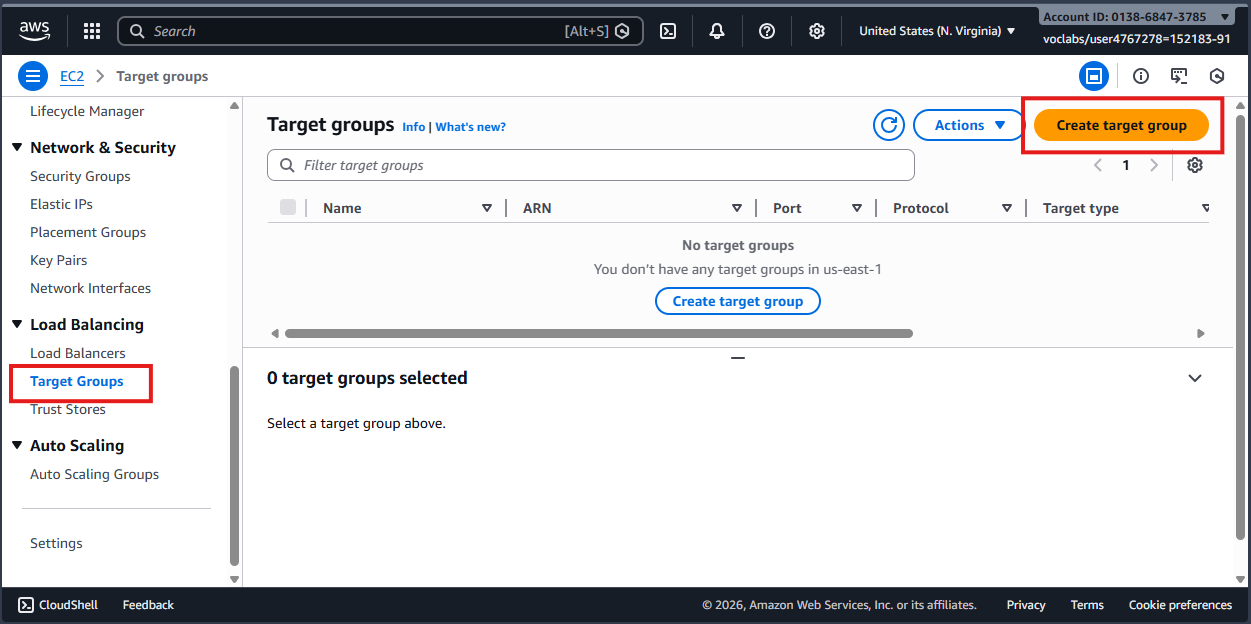
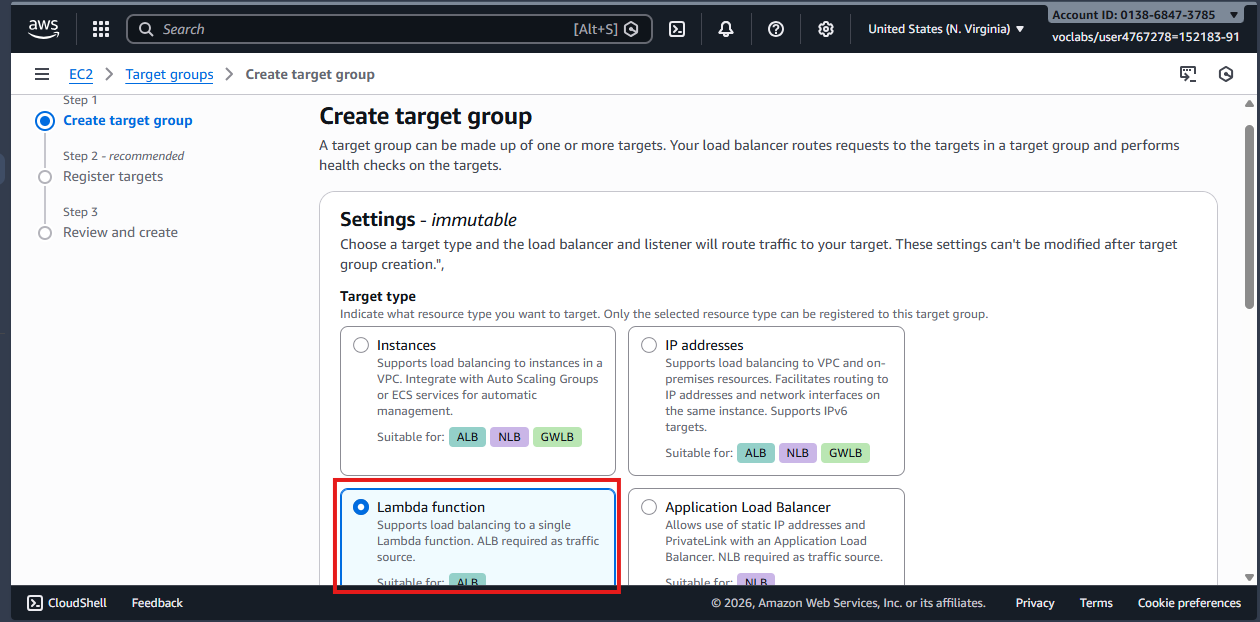
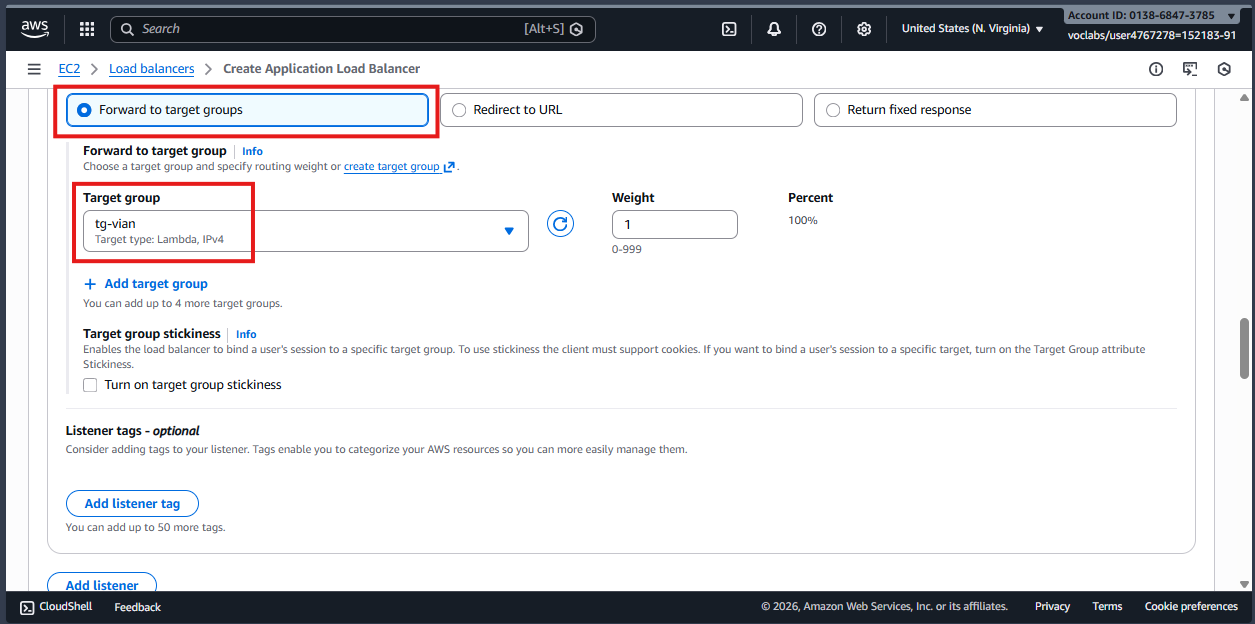
The ALB needs a target group so it can invoke IngestFunction.
- Create a target group, choose Lambda function as the target type, and select the function you created.
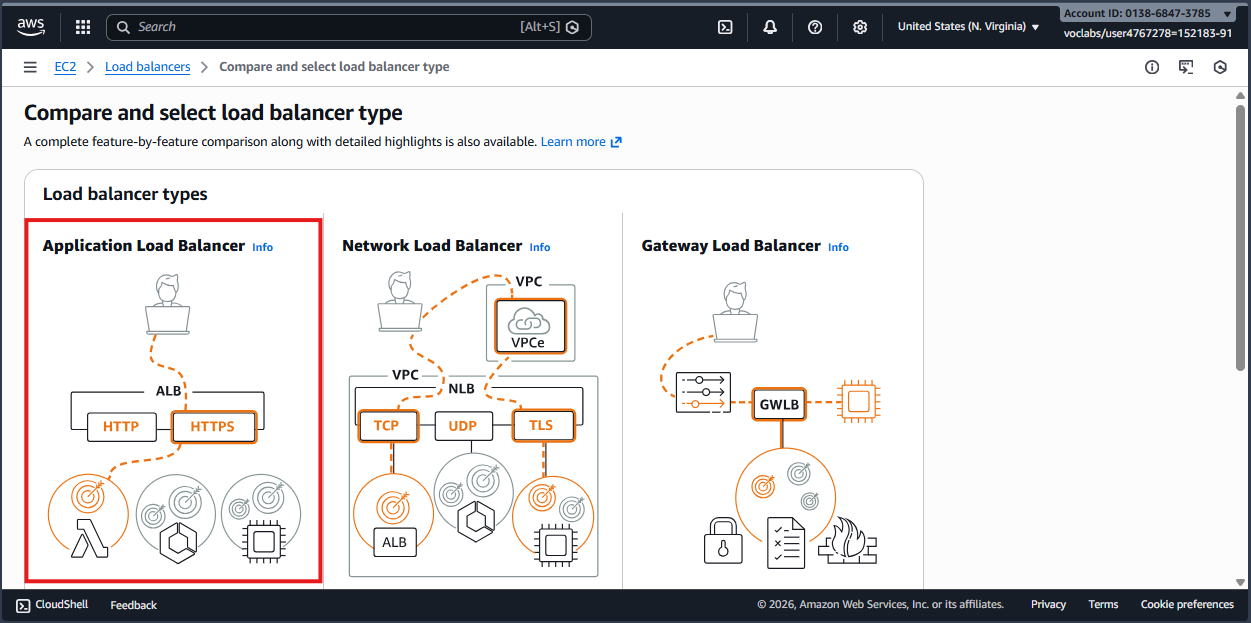
- Create an Application Load Balancer.
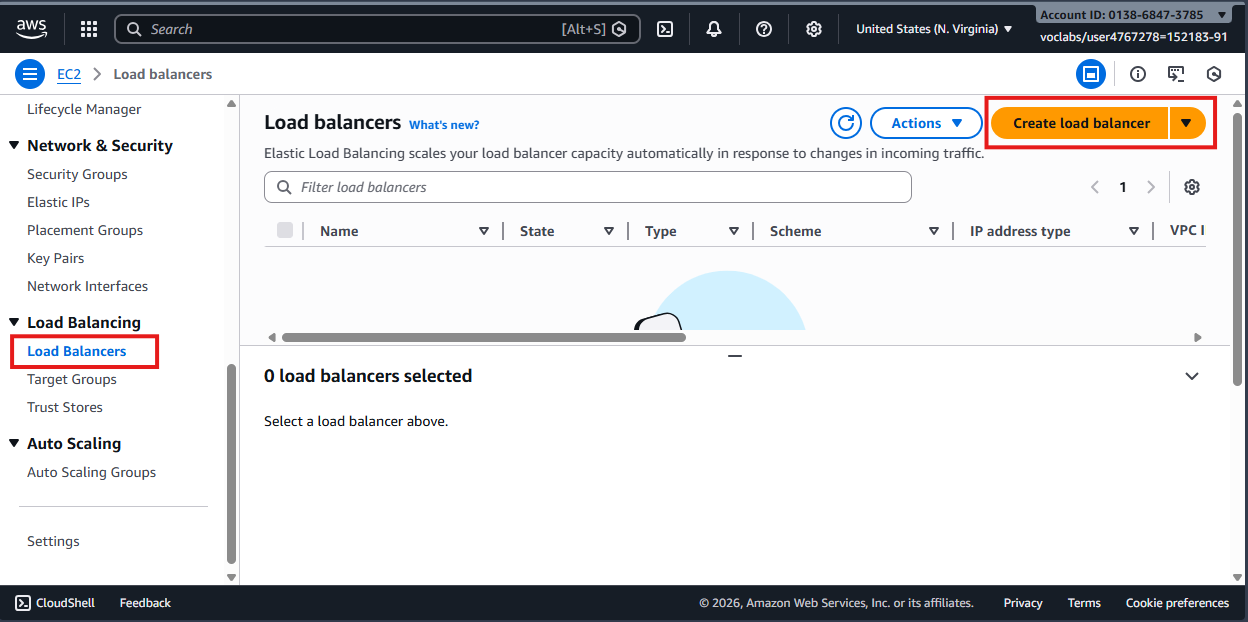
- Select Application Load Balancer (ALB).
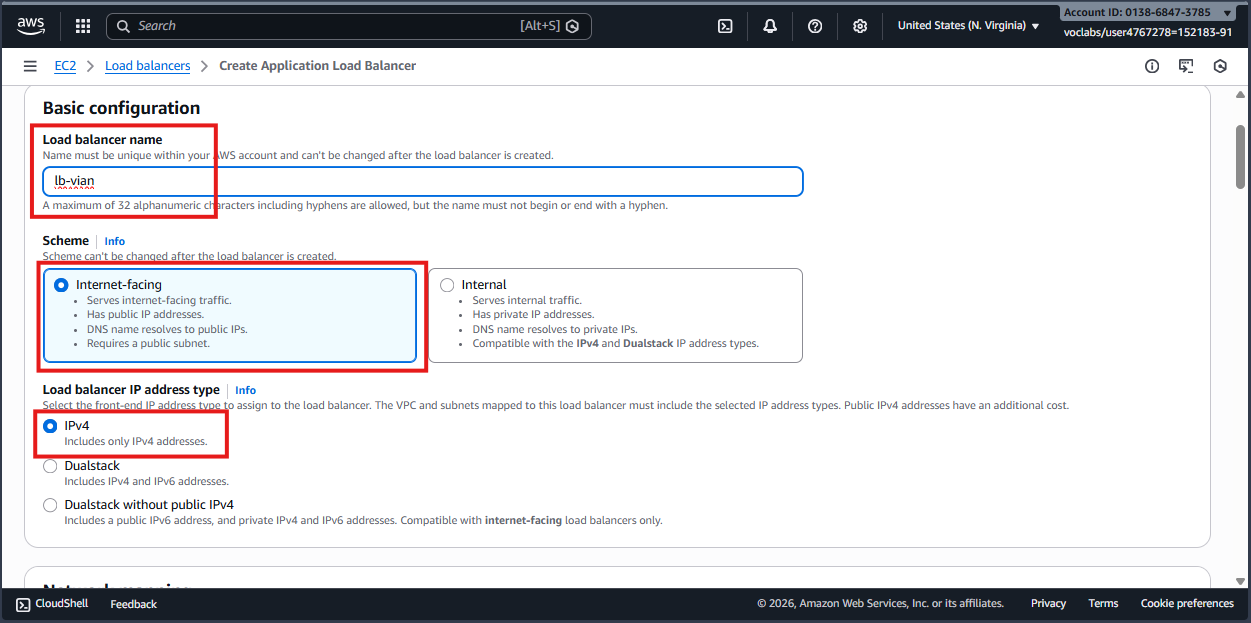
- Enter a name, use the Internal-facing scheme, and select IPv4.
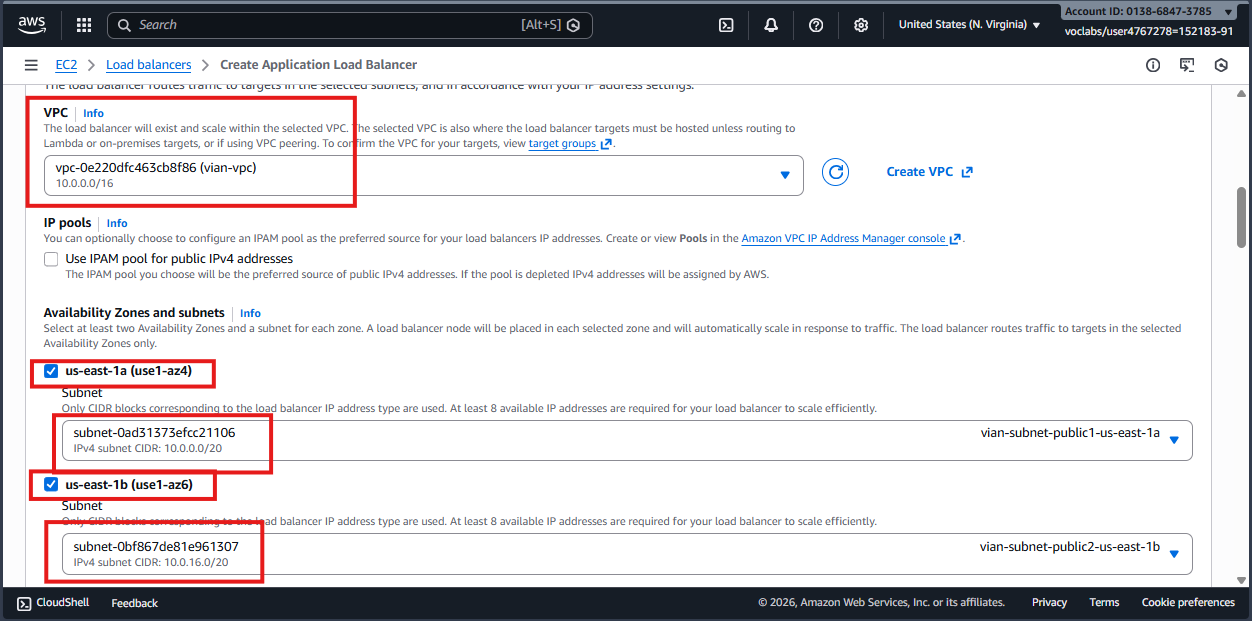
- Configure the VPC, availability zones, and subnets:
- Use the VPC created earlier.
- Select one or two availability zones.
- Place the ALB in the public subnets so clients can reach it.
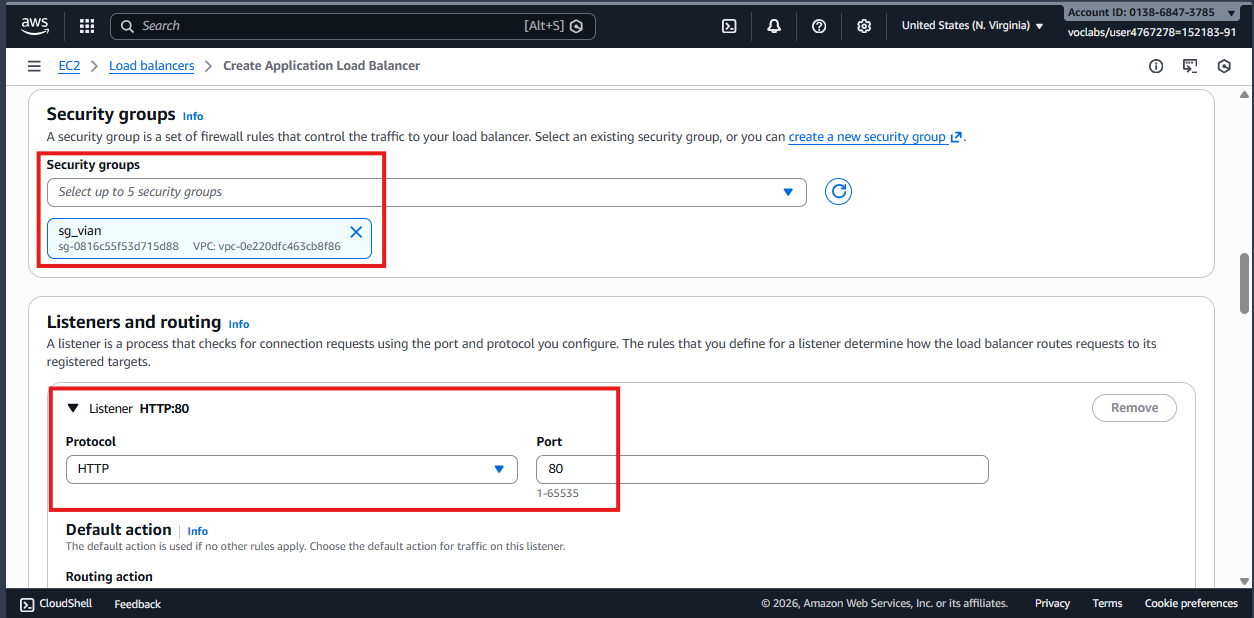
- Configure the security group and listener:
- Use the security group with inbound ports 80 and 443.
- Configure an
HTTPlistener on port80.
- Select the target group created earlier, then select Create.
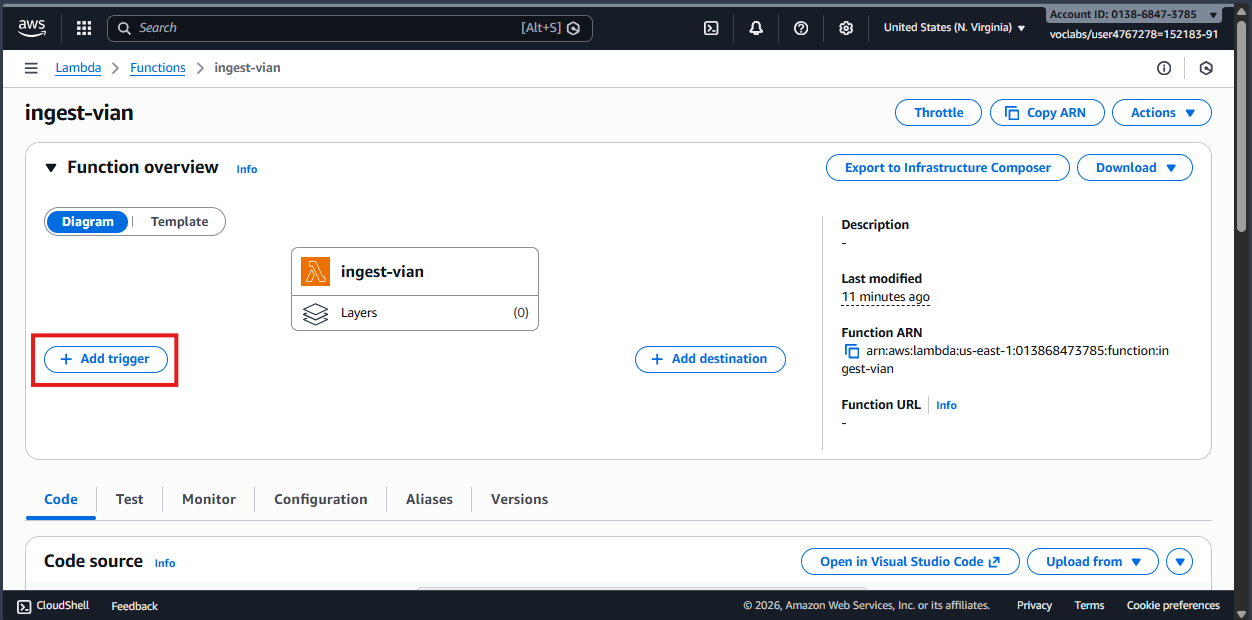
- Add a Trigger to
IngestFunctionso it can be invoked by the ALB.
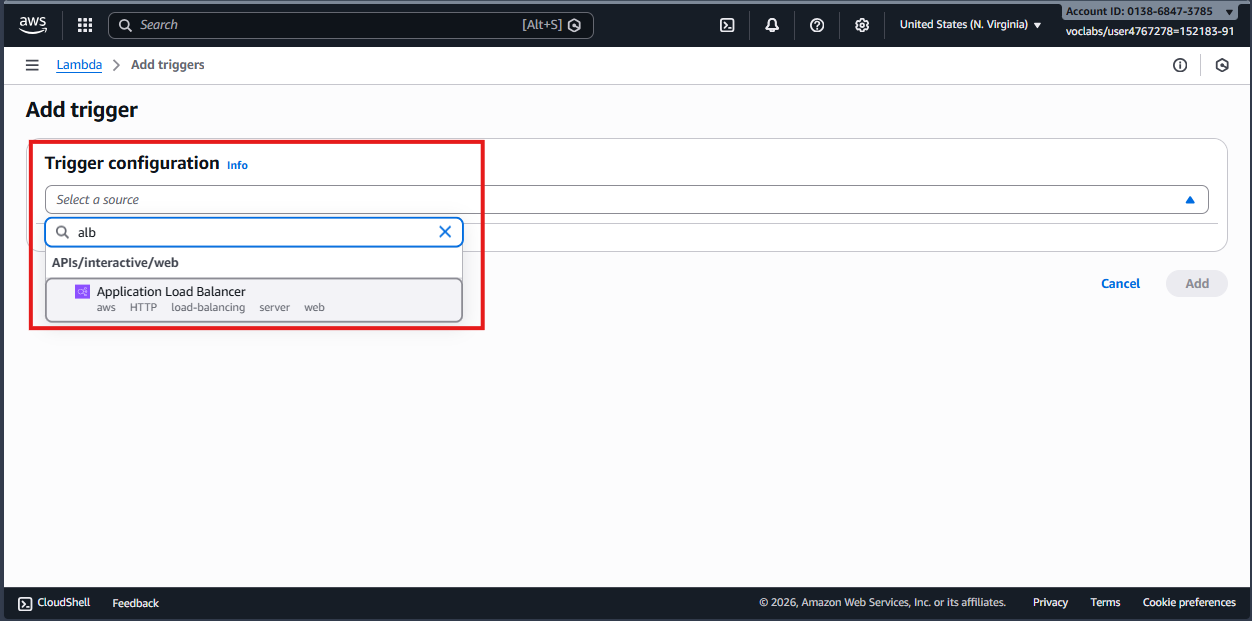
- Search for and select
ALB.
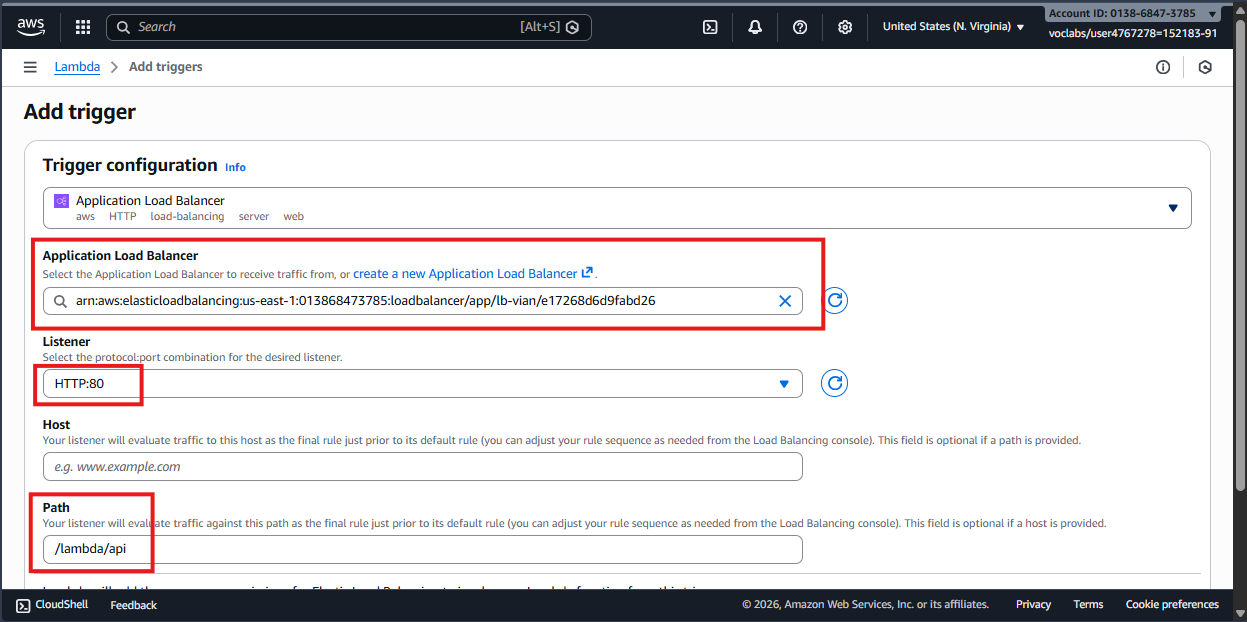
- Select the ALB that you created.
- Use the
HTTP:80listener. - Set the path to
/lambda/api/. The path is configurable, but it must match the path checked in the Lambda handler.
ProcessFunction is the second function. It consumes messages from SQS and stores them in DynamoDB.
- Create a new function, for example
ProcessFunction, using the same general configuration asIngestFunction. - Select the Python runtime.
- Use an IAM role with
sqs:ReceiveMessage,sqs:DeleteMessage, anddynamodb:PutItempermissions. In this example, theLabRoleis used. - Use the following handler. It is triggered by SQS, parses each message, and stores the result in DynamoDB.
import json
import boto3
import os

dynamodb = boto3.resource('dynamodb')
TABLE_NAME = os.environ.get('TABLE_NAME')
table = dynamodb.Table(TABLE_NAME)

def lambda_handler(event, context):
    # SQS sends messages in a list called 'Records'.
    for record in event['Records']:
        try:
            # 1. Parse the SQS message body.
            payload = json.loads(record['body'])

            # 2. Store the payload in DynamoDB.
            # Ensure the payload contains the table's partition key.
            table.put_item(Item=payload)

            print(f"Processed message ID: {record['messageId']}")

        except Exception as e:
            print(f"Failed to process record {record['messageId']}: {str(e)}")
            # Raising an error tells SQS to retry the message.
            raise e

    return {
        'statusCode': 200,
        'body': json.dumps('SQS to DynamoDB processing complete')
    }
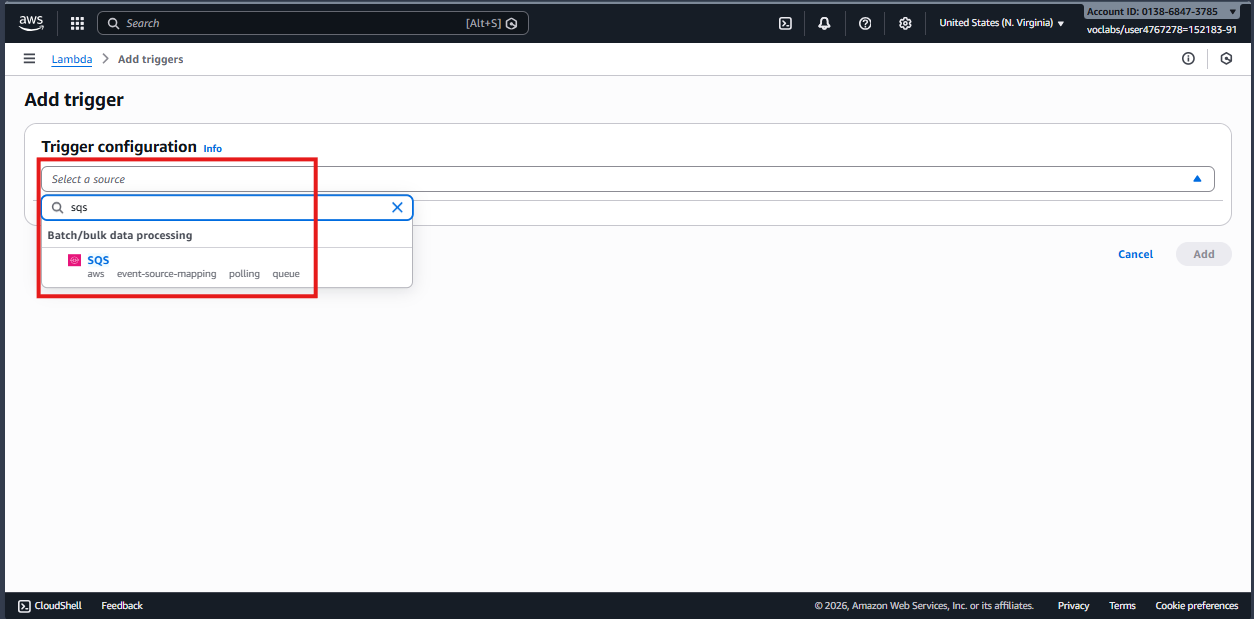
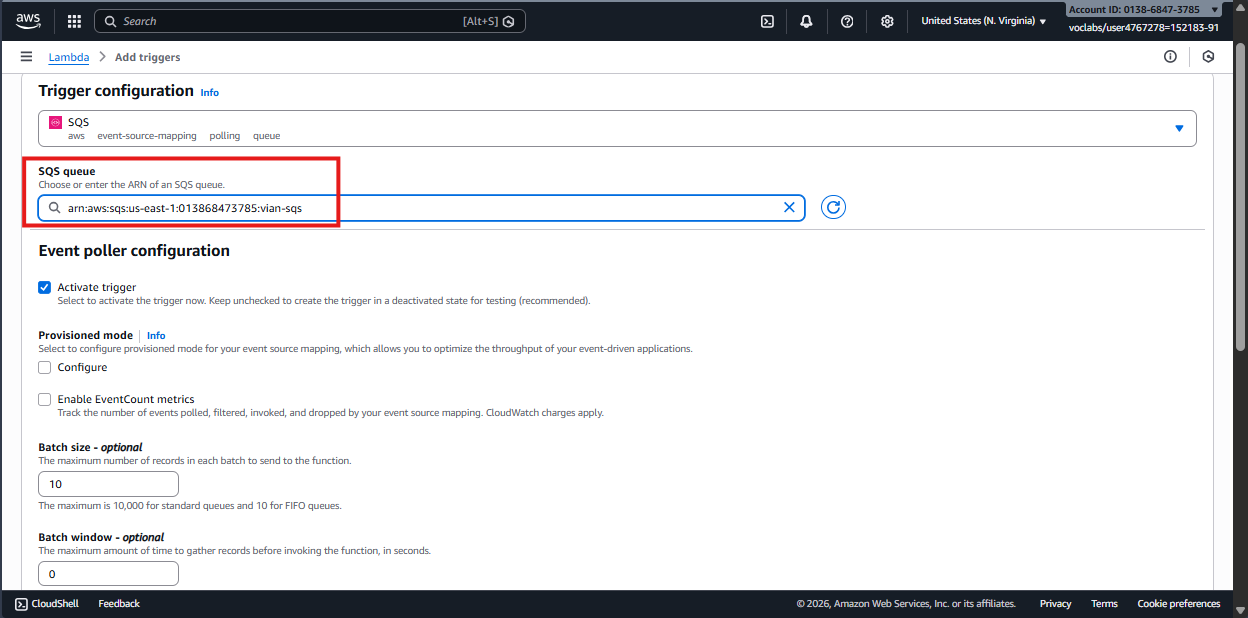
- Set the SQS trigger: Connect the function to the SQS queue. Every new message will invoke Lambda automatically.
Use this table as a quick reference:
| Component | Configuration | Explanation |
|---|---|---|
| Lambda IAM role | LabRole | Allows Lambda to send messages to SQS and write to DynamoDB. In production, follow the least-privilege principle. |
| SQS visibility timeout | > Lambda timeout | The message should remain hidden from other consumers longer than the Lambda consumer's execution time. |
| Lambda trigger | Batch size | Number of messages consumed in one invocation. The default is 10 and can be tuned. |
| ALB listener | Port 80 (HTTP) | Forwards requests to the Lambda Ingest target group. |
Now verify the end-to-end flow.
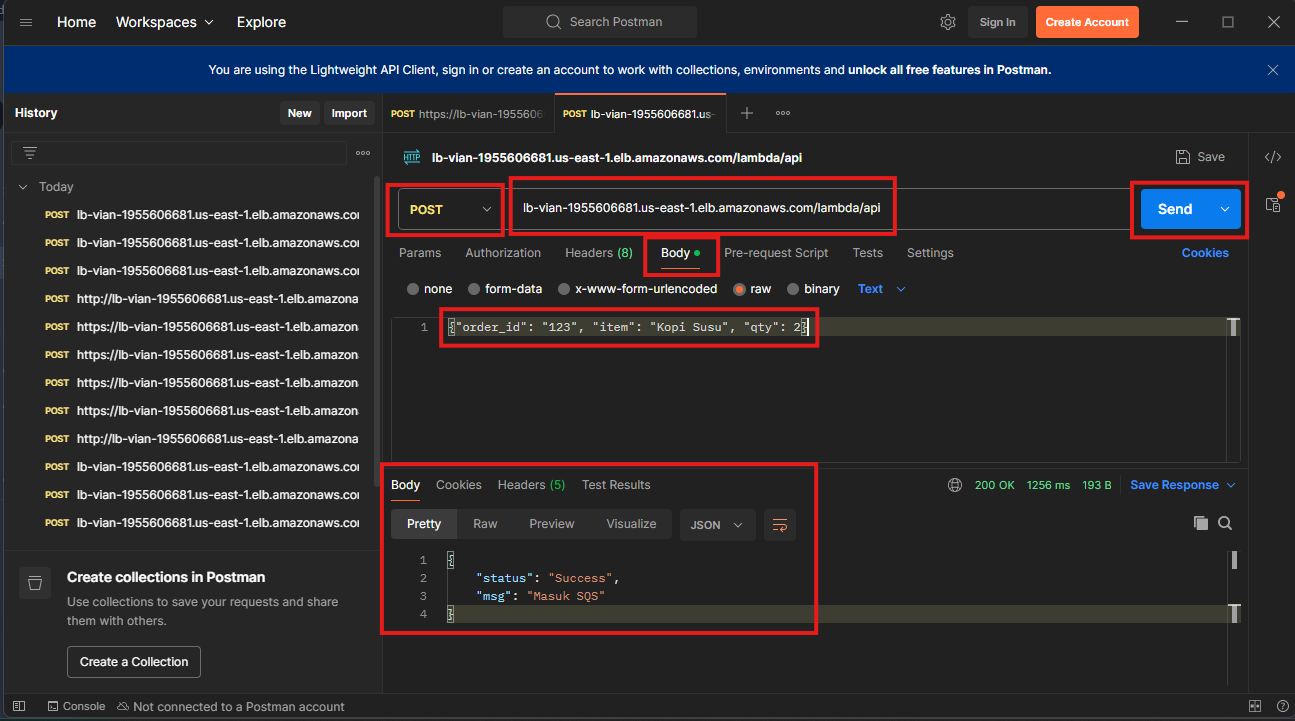
-
Call the API with Postman
Send a POST request to the ALB DNS name at
/lambda/apiwith a JSON body.- Paste the ALB URL and append
/lambda/api. - Set the method to
POST. - Open the request
body, enter the payload, and selectSend.
json{"order_id": "123", "item":"Milk Coffee", "qty": 2} - Paste the ALB URL and append
-
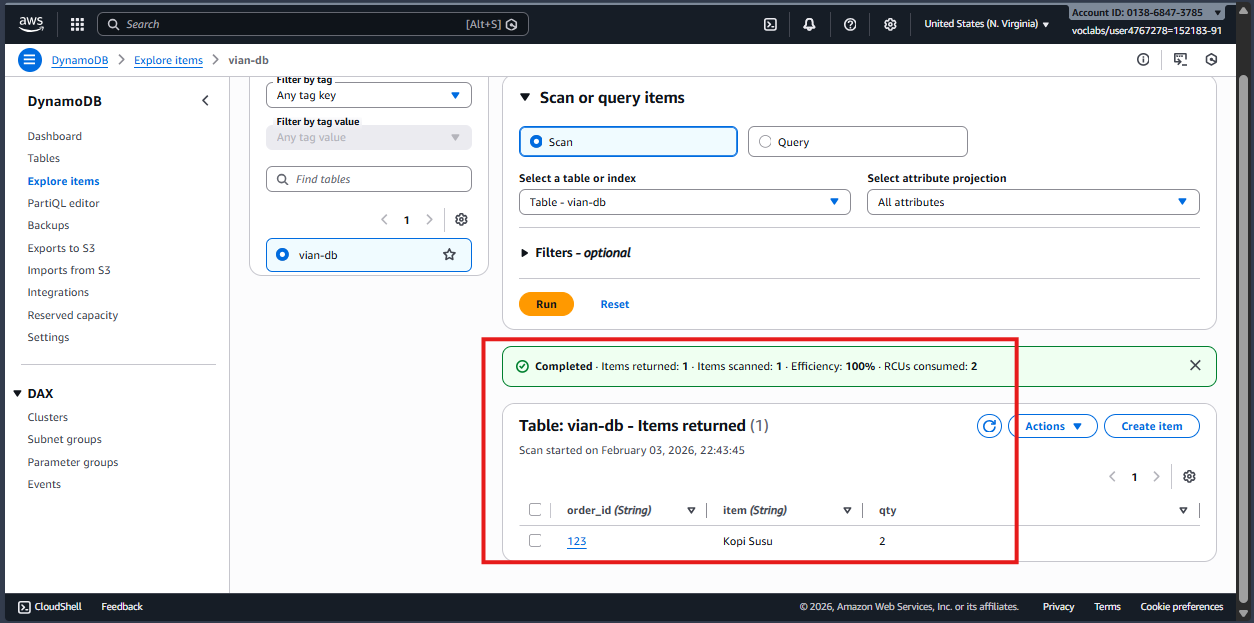
Check DynamoDB
The record should now appear in the DynamoDB table.
This pattern keeps the API responsive and makes the application more resilient during traffic spikes. The frontend receives a fast response while SQS and Lambda process the database write asynchronously.
See you in the next article - keep learning and keep building.